AI support and leads agent trained on your website
Finds and scores leads, runs your email campaigns, drafts inbox replies, and answers customers in live chat using your real data through MCP.
Example of the ReachClaw website chat for a made-up business, Harbor Lane Bakery Supply:
- Harbor Lane helper: Hi! Ask me about delivery, prices or opening a wholesale account.
- Visitor: Do you deliver to Berkeley?
- Harbor Lane helper: Yes, we deliver to Berkeley Monday to Saturday. Orders placed before 2pm arrive the next morning. (Source: harborlane.example.com/delivery)
- Visitor: How much is 25 kg of pastry flour?
- Harbor Lane helper: A 25 kg bag of pastry flour is $42. Delivery is free on orders over $250. (Source: harborlane.example.com/pricing)
- Visitor: Can I pay by invoice?
- Harbor Lane helper: Yes. Wholesale accounts can switch to net-30 invoicing after their first three orders. (Source: harborlane.example.com/wholesale)
- Visitor: Do you carry semolina flour?
- Harbor Lane helper: I couldn't find semolina in what I know about Harbor Lane's products. You can leave your email and Dana will check for you.
- The visitor taps "Talk to a person" and leaves their email, [email protected], with a note: We're opening a cafe on Shattuck Ave and would order about 10 bags a month.
- Harbor Lane Bakery Supply gets an alert and replies from the ReachClaw dashboard: Hi Rosa, Dana here. We don't stock semolina yet, but I can add it to a monthly order for you. I'll email you a price tomorrow.
It learns your product
You add your website. It reads your pages to learn what you sell.
It finds leads
It searches the web for businesses that match your ideal customer.
It writes them emails
It writes an email for each lead. You check them, or let them send on their own.
It drafts your replies
When a customer emails you, it drafts a reply from what it learned.
It answers your website visitors
A chat on your website answers their questions from the same knowledge.
What ReachClaw does after you add your website.
It finds people who might buy from you
You describe your ideal customer. ReachClaw searches the web for matching businesses, saves each contact with the page it was found on, and writes them an email. You can read every email before it goes out. Read how automated lead generation works, step by step.
It writes replies to your customer emails
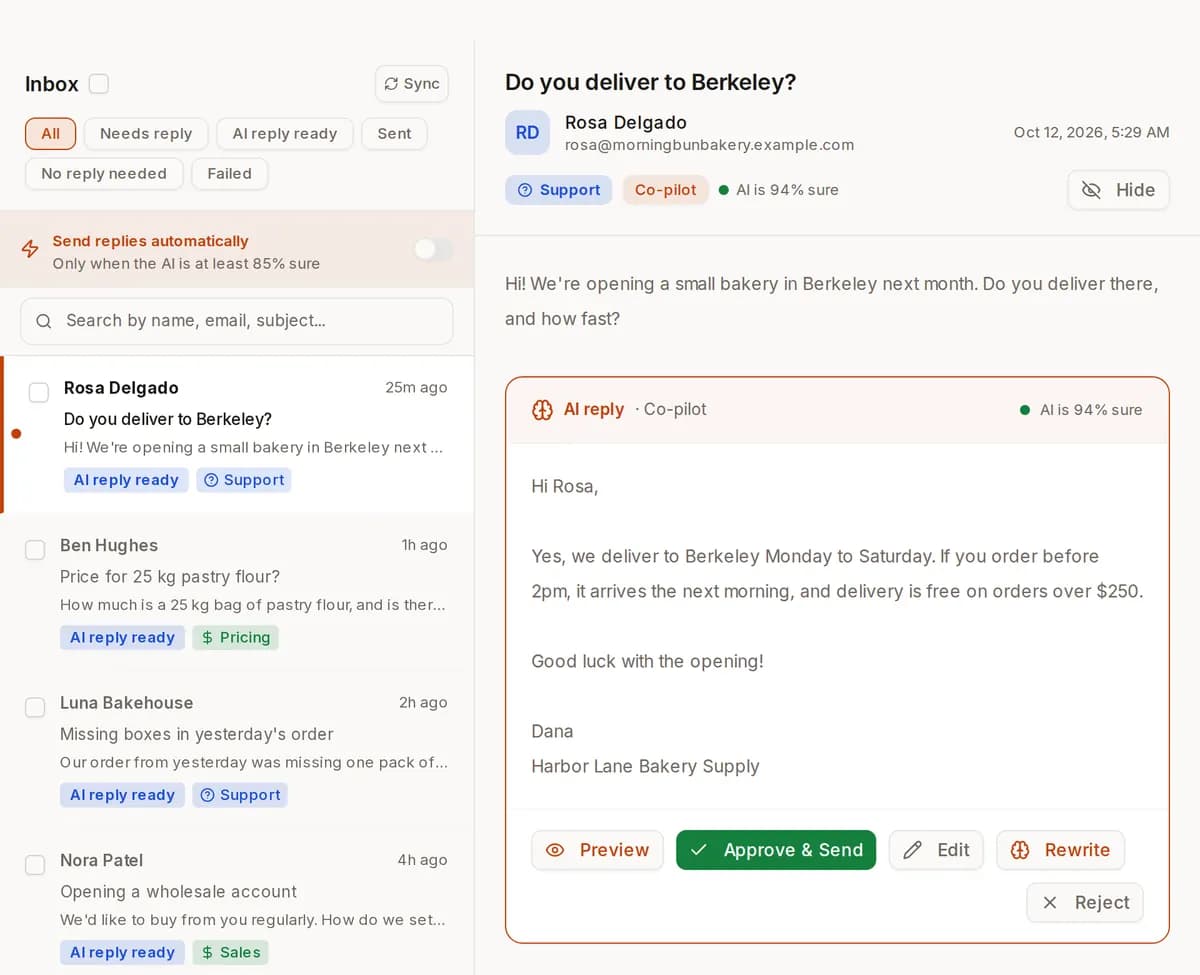
When a customer emails you, ReachClaw drafts a reply from your website, your documents and the notes you added.
You decide what happens next. Check each reply before it sends, let it send on its own, or write the reply yourself.
It answers questions on your website
You paste one line of code into your website. A chat button appears, and visitors get answers from the same knowledge, with links to your pages.
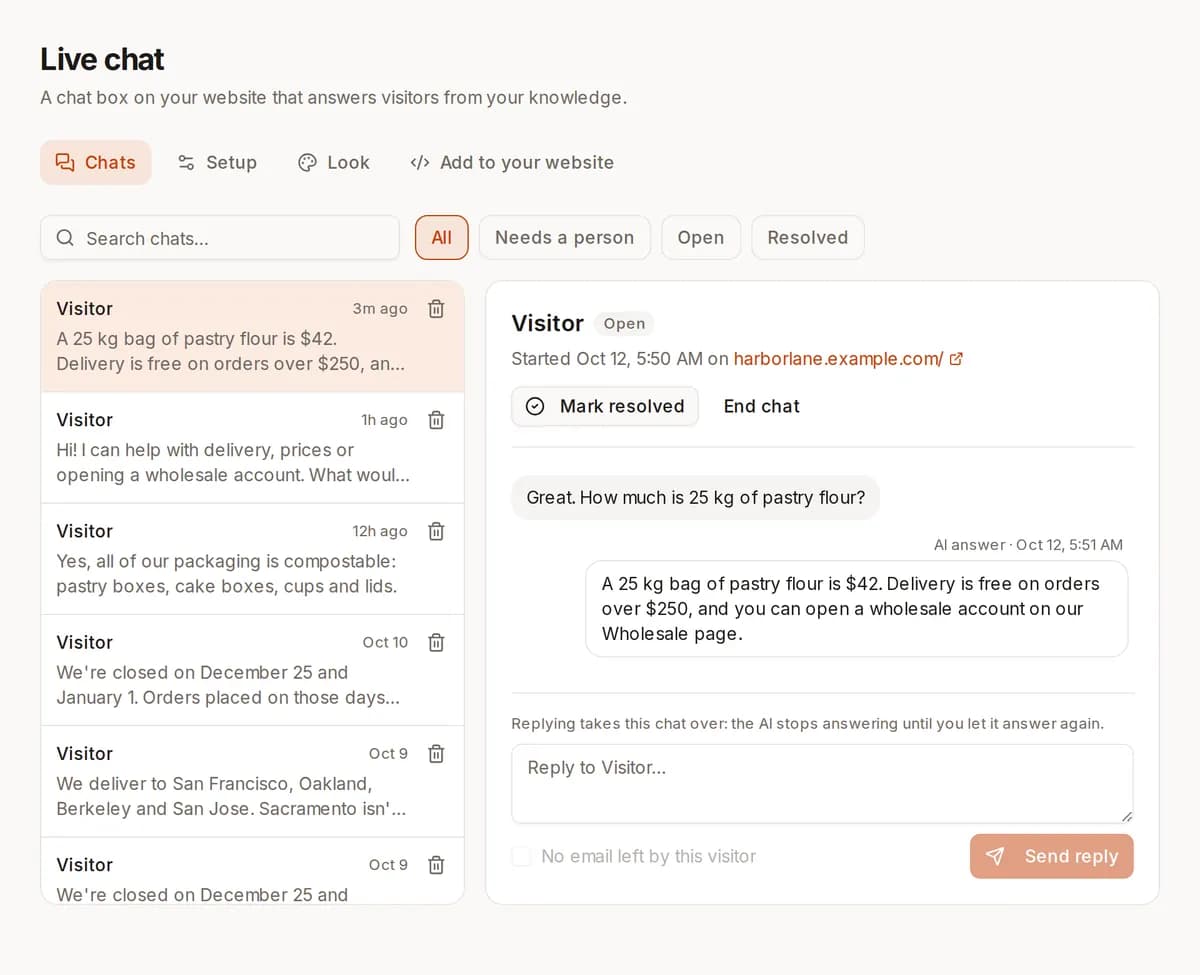
When it can't answer, visitors can ask for a person and leave their email, if you turn that on. You see every chat and can reply yourself. See what the AI chat widget for your website can do, including live look-ups and voice.
What it looks like inside ReachClaw
These are real ReachClaw screens filled with example data. The businesses, people and emails are made up.
- 01
It reads your website first
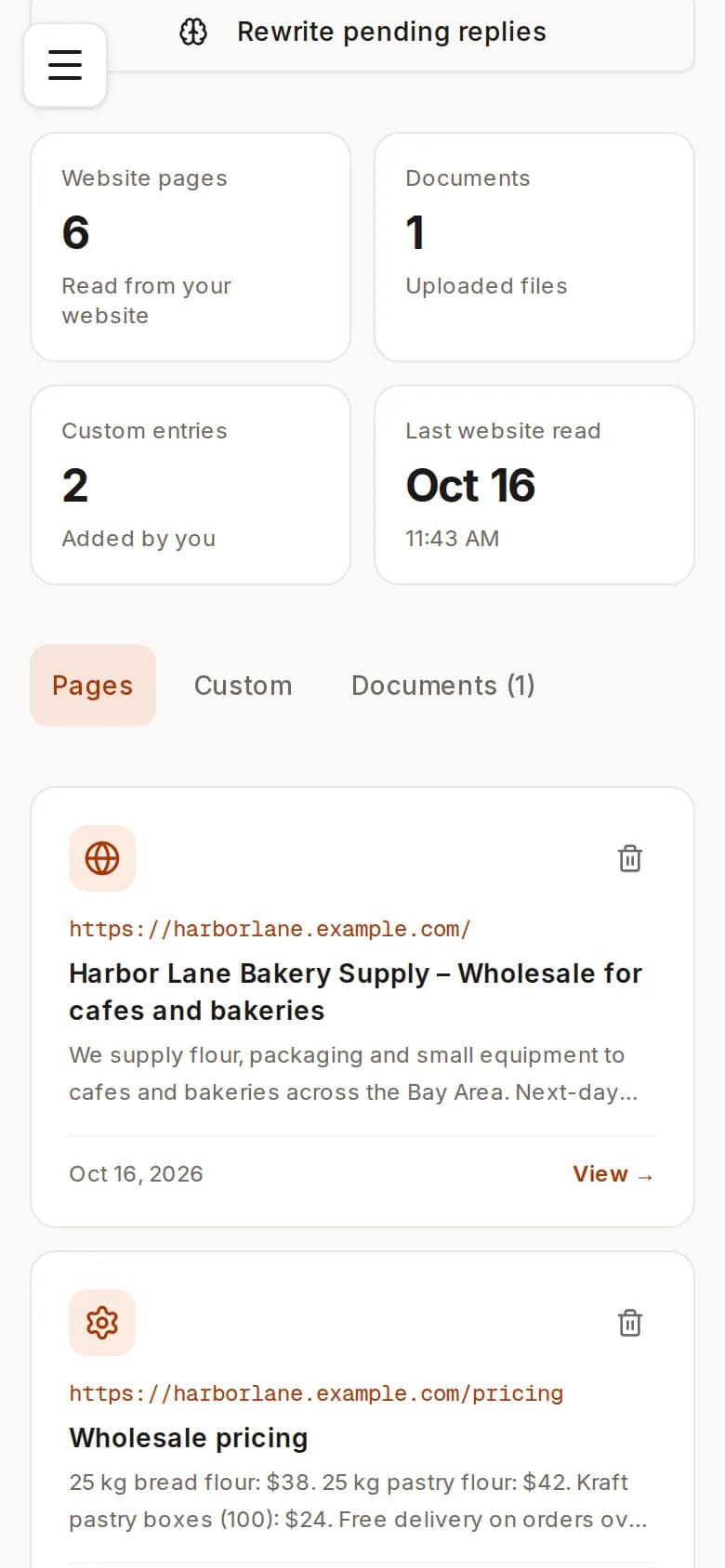
The Knowledge page lists the pages it read from your site, the files you uploaded and the notes you added. Replies and outreach emails are written from this.
- 02
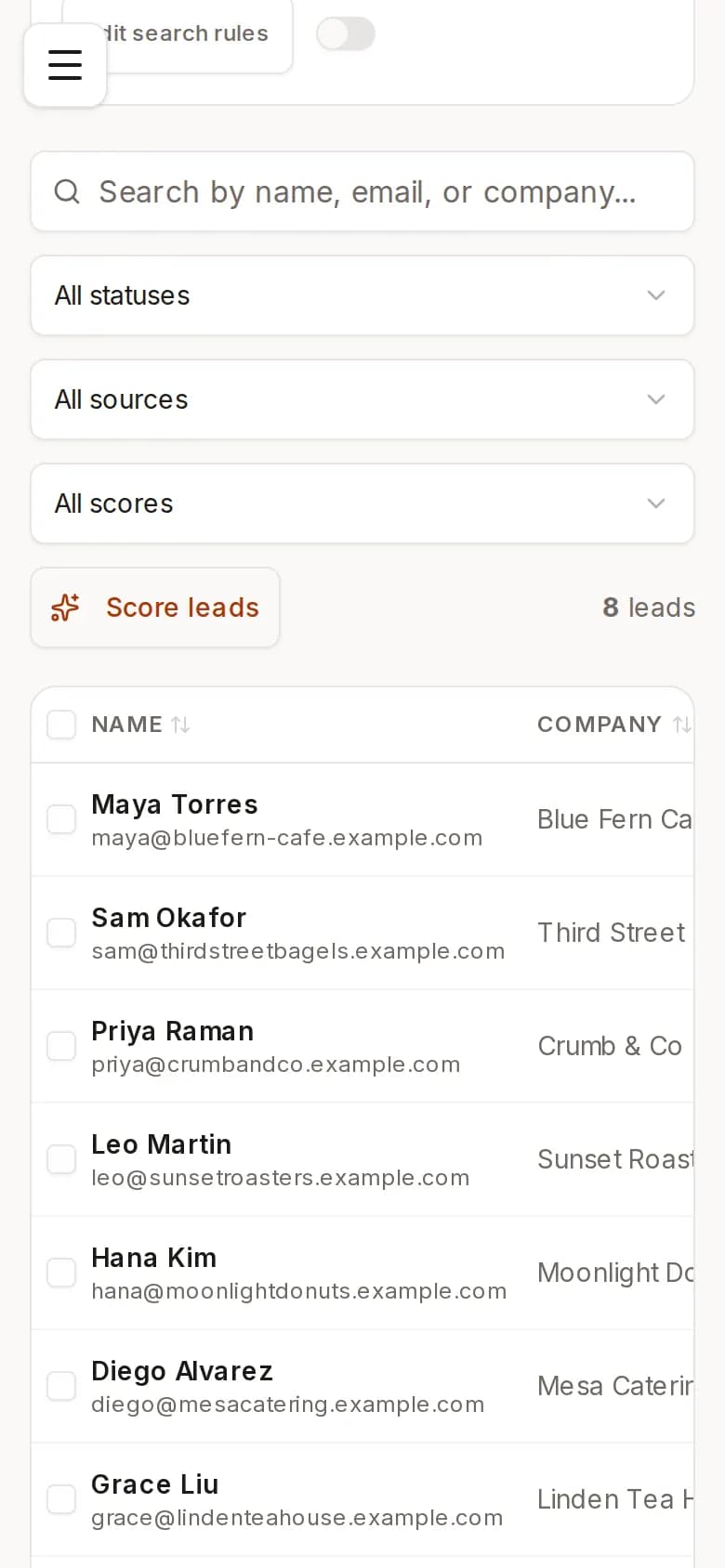
It finds leads and scores them
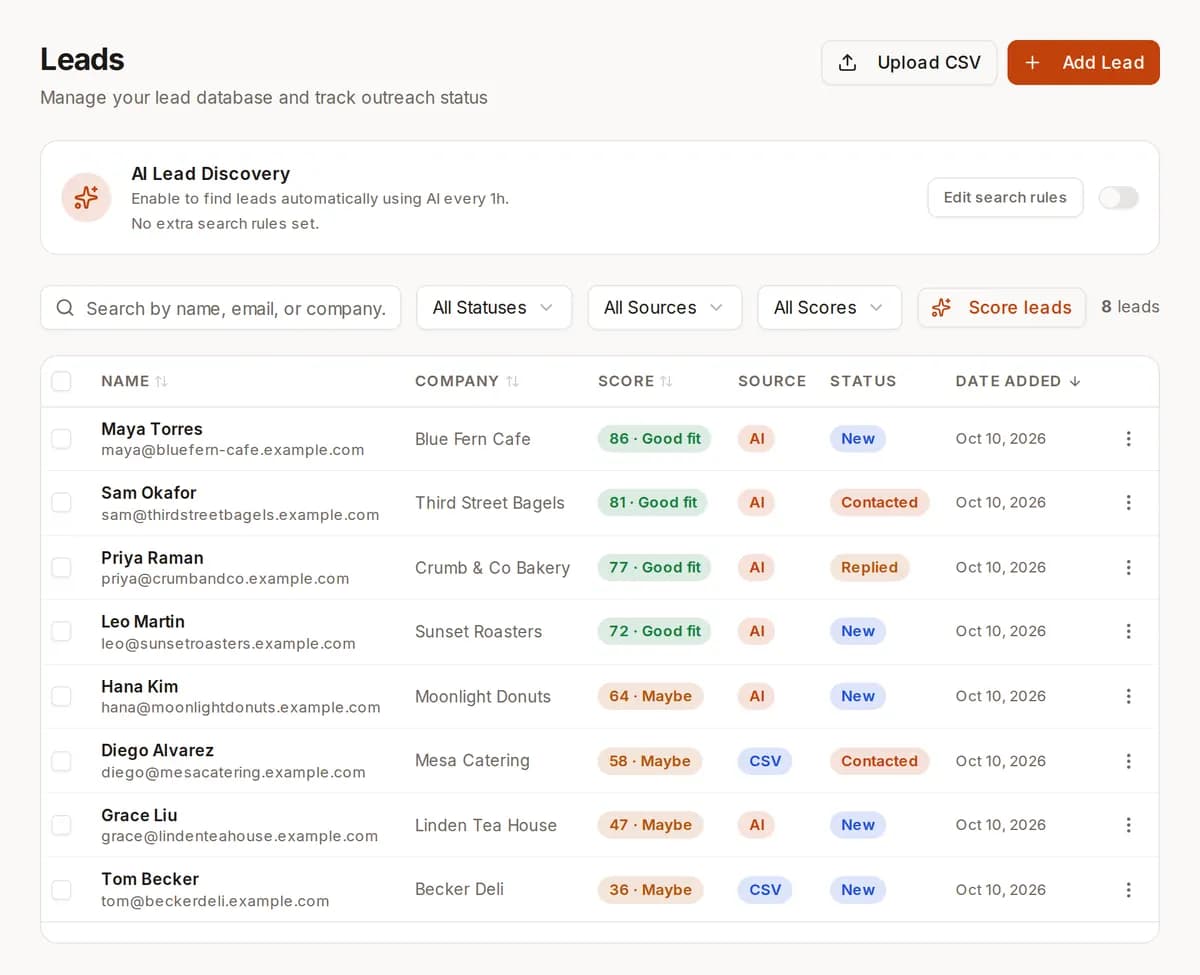
Each lead is listed with name, company, email and a fit score from 0 to 100. Leads come from its web search or from a CSV you upload. You can turn on automatic search so it keeps looking on a schedule.
- 03
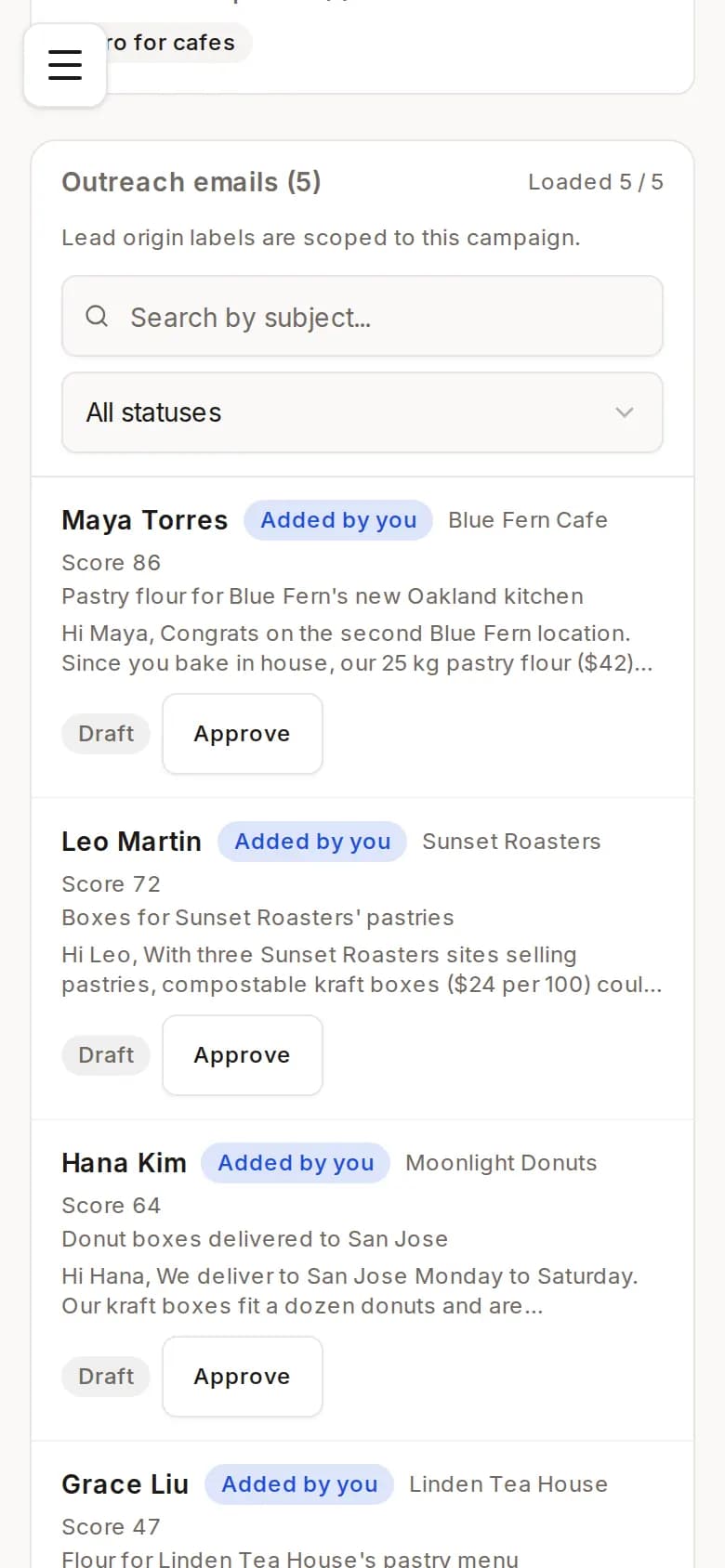
It writes one email per lead, and you approve them
In a campaign, each lead gets its own email, written from your knowledge. You read them, approve one at a time or all at once, and then send.
- 04
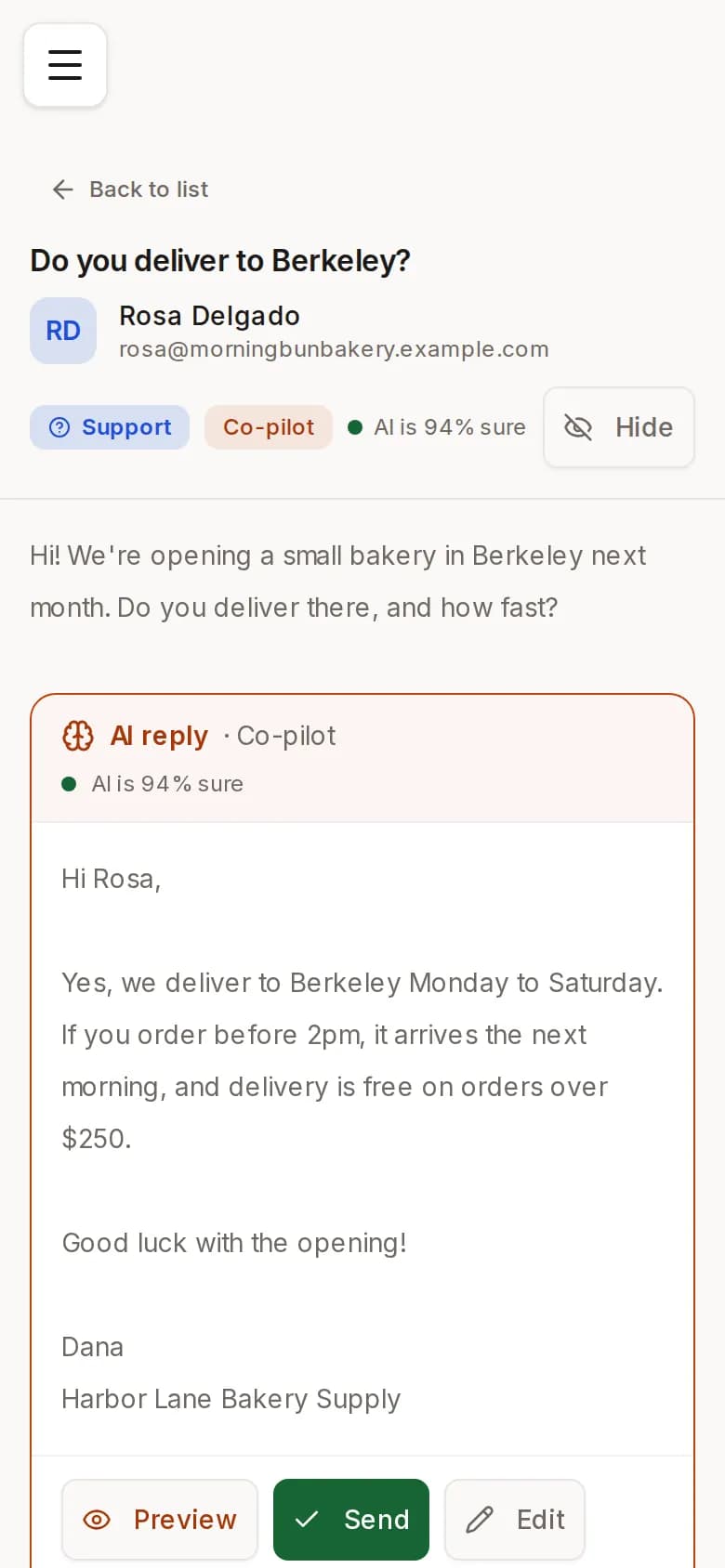
It drafts replies to customer emails
New emails from your Gmail are sorted into support, sales or pricing, and a reply is drafted from your knowledge. You send it, edit it, or ask for a rewrite.
- 05
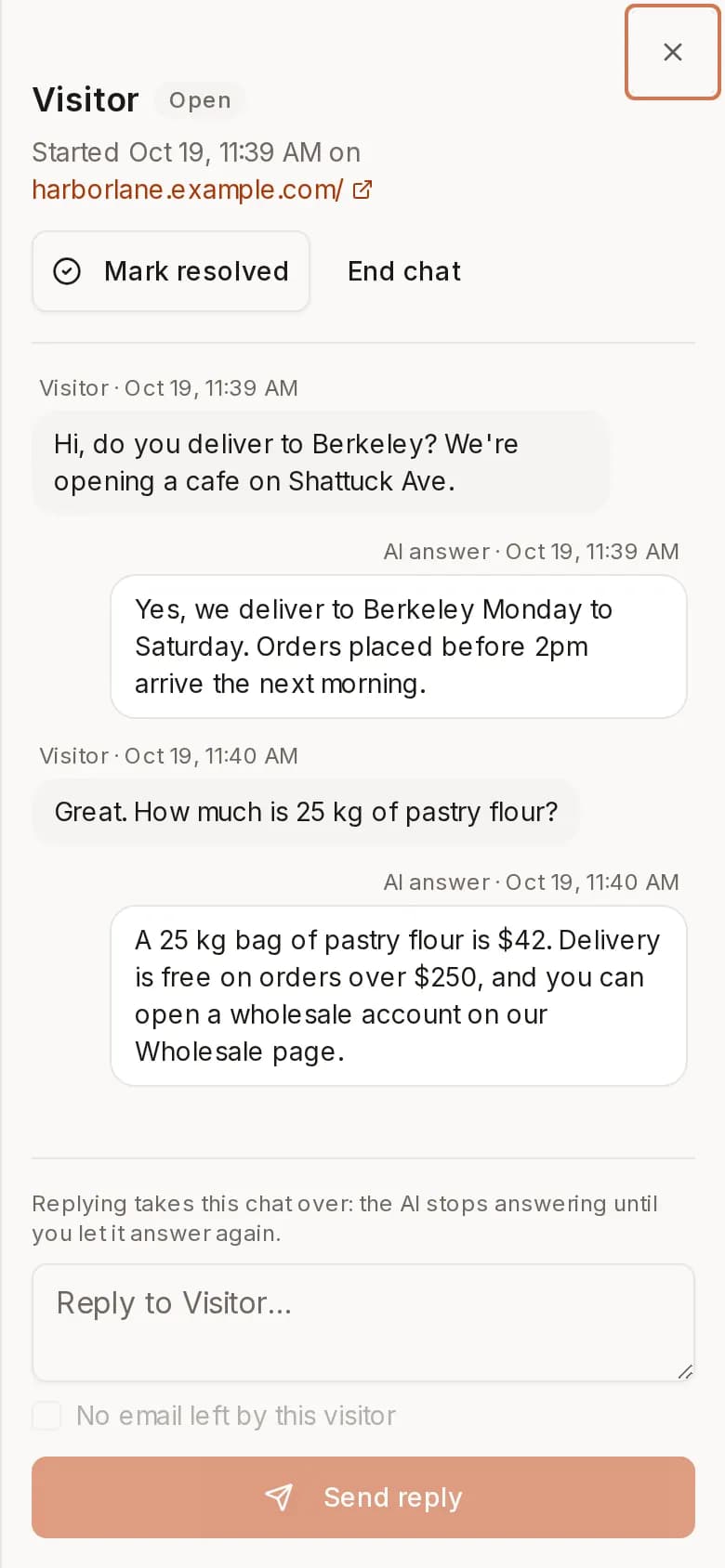
It answers visitors on your website, and you can read every chat
Visitors ask questions in a chat on your website and get answers from your knowledge, with links to your pages. You can read each chat, see the ones that need a person, and reply yourself.


First it reads your website. Then it does three jobs for you. It finds people who might buy from you and emails them. It writes replies to the emails your customers send. And it answers visitors in a chat on your website.
You describe who you sell to. ReachClaw looks for them and emails them.
Searches the web for leads
Describe your ideal customer. ReachClaw searches the web for people at matching businesses and saves their name, company, role and email. You can turn on automatic search so it keeps looking on a schedule you pick.
Writes an email for each lead
Each email is written for that lead, using what ReachClaw learned from your website. You can check every email before it goes out, or let it send on its own.
Lets you schedule or repeat a campaign
Pick the leads and a template. Send right away, schedule it for a set time, or have it run again every few days.
Shows who opened, clicked and replied
For each campaign you can see who opened your email, who clicked a link and who wrote back.
When a customer emails you, ReachClaw writes the reply.
How AI email support works, step by stepDrafts replies from your own information
Replies are based on your website pages, the documents you upload and the notes you add. It reads new emails as they arrive in your Gmail.
You decide what gets sent
Choose for each kind of email: check the reply before it sends, let it send on its own, or write the reply yourself.
Can look things up in your other tools
If you connect your own tools (through MCP servers), ReachClaw can check them while it writes a reply, for example to look up an order.
A chat on your website answers questions from the same knowledge.
All about the AI chat widget for your websiteA chat you add with one line of code
Copy one line into your website and a chat button appears. You pick its name, greeting, colors and the questions it suggests. It only works on the websites you allow.
Hands over to you when it can't answer
If you turn it on, visitors can ask for a person and leave their email. You get an alert, read the chat and reply from your dashboard.
Shows what visitors ask
See how many chats you had, what people asked about and the questions it couldn't answer. Add an answer and it's used from then on.
You don't need any technical skills. This is what happens after you sign up.
Add your website
ReachClaw reads your pages, like pricing and FAQs. You can also upload documents or type in notes about your product.
Describe your ideal customer
ReachClaw searches the web for matching businesses and finds their email addresses. It writes each one an email. You choose whether to check them first or let them send.
Connect your Gmail
When a customer emails you, ReachClaw drafts a reply from what it learned. If you connect your own tools through MCP servers, it can look things up in them too.
Add the chat to your website
Paste one line of code into your site. A chat button appears and answers visitors from the same pages. When it can't, they leave their email for you.
Read how ReachClaw handles a specific job
Each page covers one thing ReachClaw does, step by step.
AI chat for your website
How the website chat answers visitors from your pages and hands the chat to you when it can't.
AI chat widget for your website
Try the live chat on our own site: it looks things up as you ask, takes voice, and hands over to a person.
AI email support
How ReachClaw reads a new customer email in your Gmail, writes the reply from your pages, and waits for your click or sends on its own.
Lead generation software
How ReachClaw finds businesses that match your ideal customer and emails them.
Email extractor (free tool)
Paste a page or a thread and get every email address in it, deduplicated and flagged, in your browser. No signup.
Sales automation
How a campaign can run again on a schedule, so outreach keeps going without you sending each email.
Cold email software
How ReachClaw writes a first email for each lead and sends it from your Gmail.
Lead details
What ReachClaw saves for each lead it finds: name, role, company and email.
Who to contact first
How ReachClaw scores each lead from 0 to 100 so you can start with the best fits.
Automated lead generation
How to go from describing your customer to sending your first emails.
For SaaS companies
How a SaaS company can use ReachClaw to find leads and answer support emails.
For consultants
How a consultant can keep outreach going each week without sending emails by hand.
One flat price, nothing extra for each answer, cancel anytime. Pick a plan, connect your Gmail and your Anthropic key, and the next customer email that arrives has a draft reply waiting for you.
If you are one person answering every email yourself, pricing per agent was never written for you. Zendesk starts at $55 per agent a month, then charges for each AI-resolved ticket. Intercom charges $0.99 per AI resolution on top of a price for each person. ReachClaw is one flat monthly price, from $6.99, however many people use it, and nothing extra for each answer. Every plan includes the AI chat widget for your website.
- 1 email account
- 500 AI-handled emails/month
- 100 outbound emails/month
- Website chat: 500 AI answers/month
- Inbound auto-replies + outbound
- AI lead search
- Co-pilot, Autopilot & Manual modes
- 3 email accounts
- 2,000 AI-handled emails/month
- 500 outbound emails/month
- Website chat: 2,000 AI answers/month
- Hide "Chat by ReachClaw" on the chat
- Analytics CSV export
- Everything in Solo
- 10 email accounts
- 10,000 AI-handled emails/month
- Unlimited outbound emails
- Website chat: 10,000 AI answers/month
- Website chat can look things up in your own tools (MCP)
- Everything in Growth
ReachClaw next to the tools people often use for the same jobs.
| Feature | ReachClaw | Zendesk AI | Instantly |
|---|---|---|---|
| Learns from your website | |||
| Inbound support | |||
| Outbound sales | |||
| Chat on your website | |||
| Combined inbox | |||
| Starting price | $6.99/mo | $55/agent | $30/mo |
| Setup time | 3 minutes | Days | Hours |
| Co-pilot mode | |||
| Custom tool integrations (MCP) |